How to Add Santa to a Photo
Kids over seven inspect every shadow, floor reflection, and boot edge when you show them “proof” on Christmas morning. This parent photography guide covers the four camera rules that make a Santa photo look 100% genuine—and compares AI room compositing against free sticker apps and manual Photoshop editing.
No account or subscription needed · 5 clean HD photos for $4.99 one-time
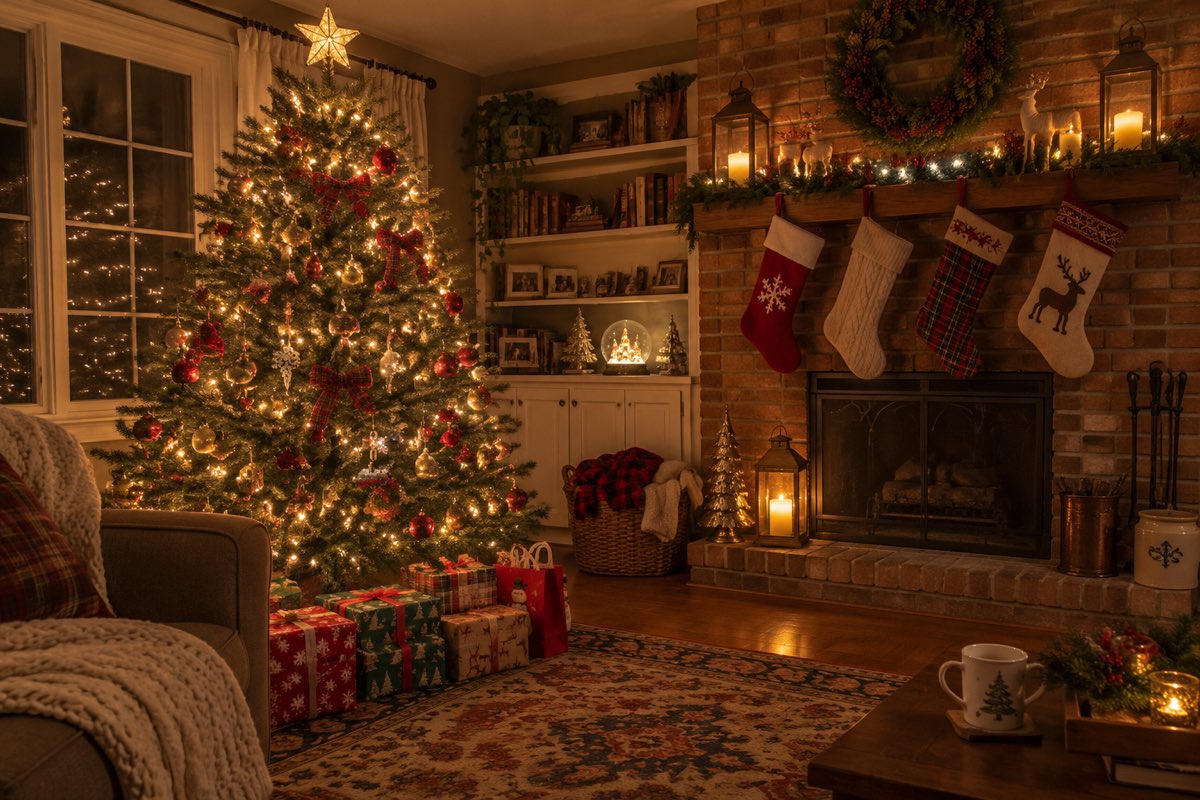
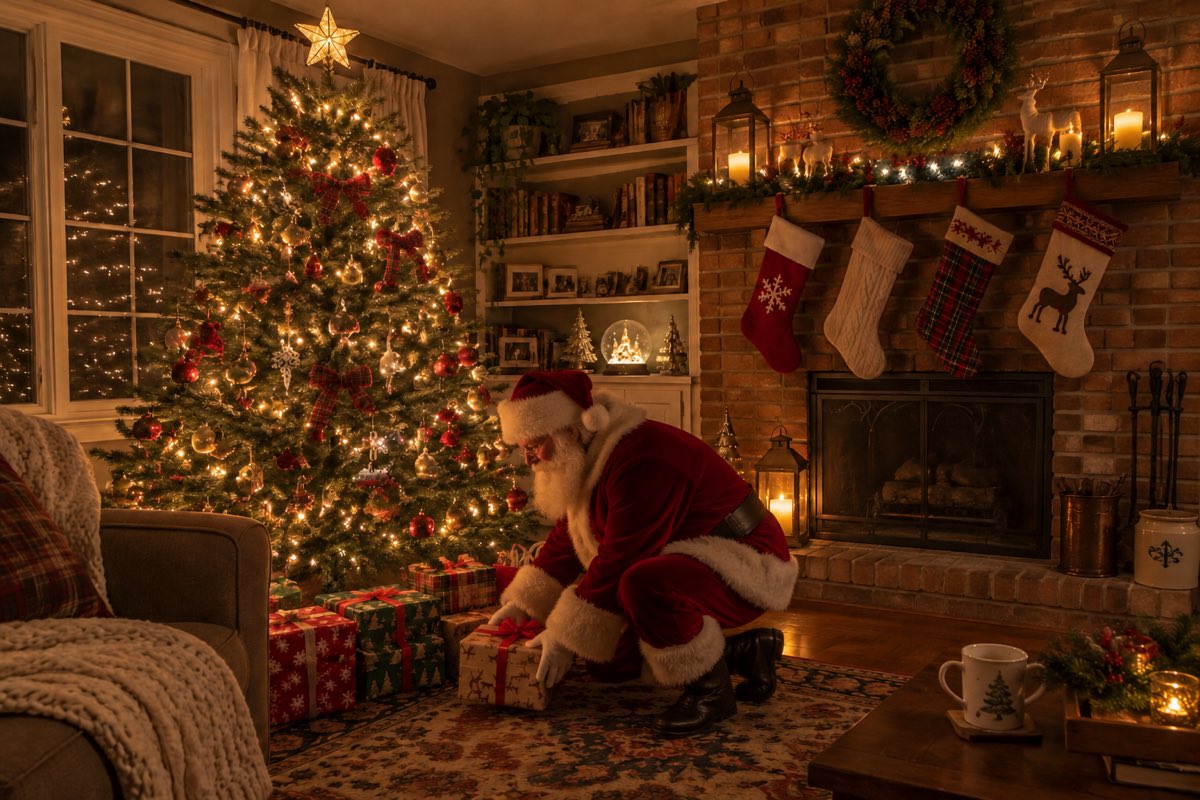
Three real before & after proofs
Make yoursEach Santa proof photo was generated from the single input photo beside it in ~60 seconds.
Every ornament, stocking, mug, pet, and family face stays untouched.
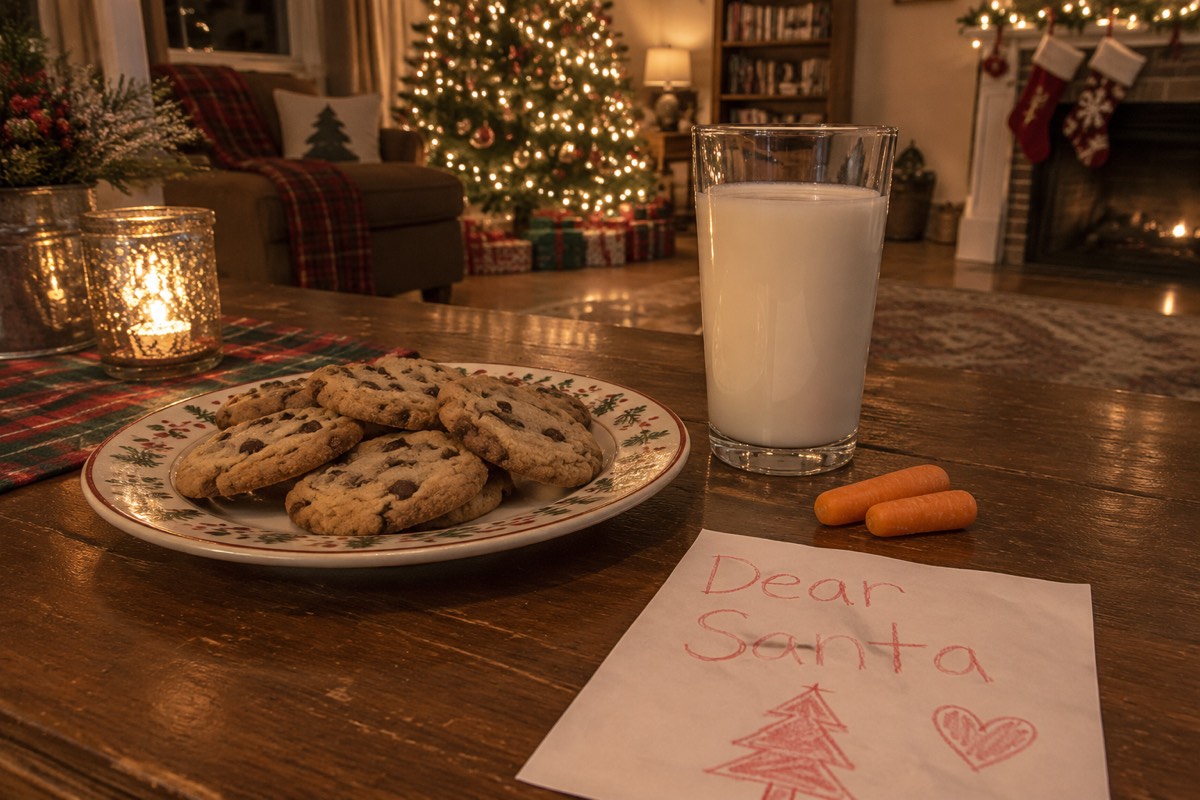
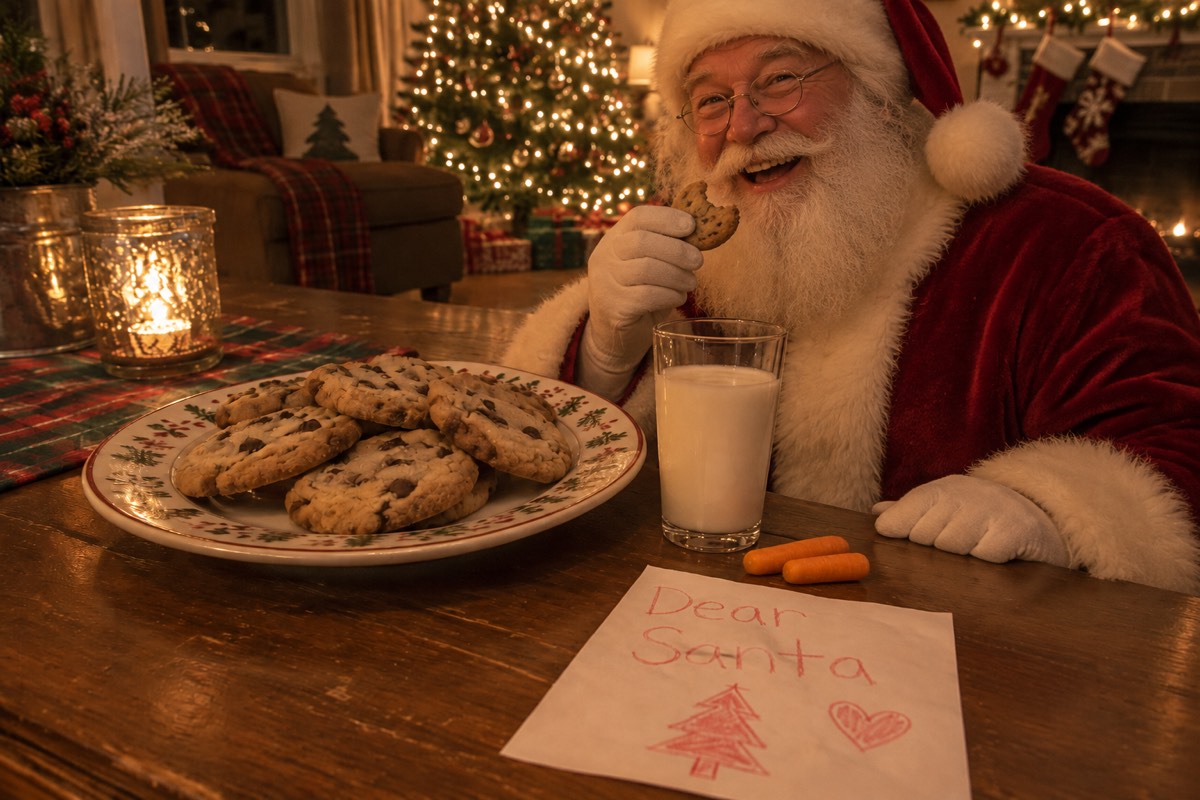
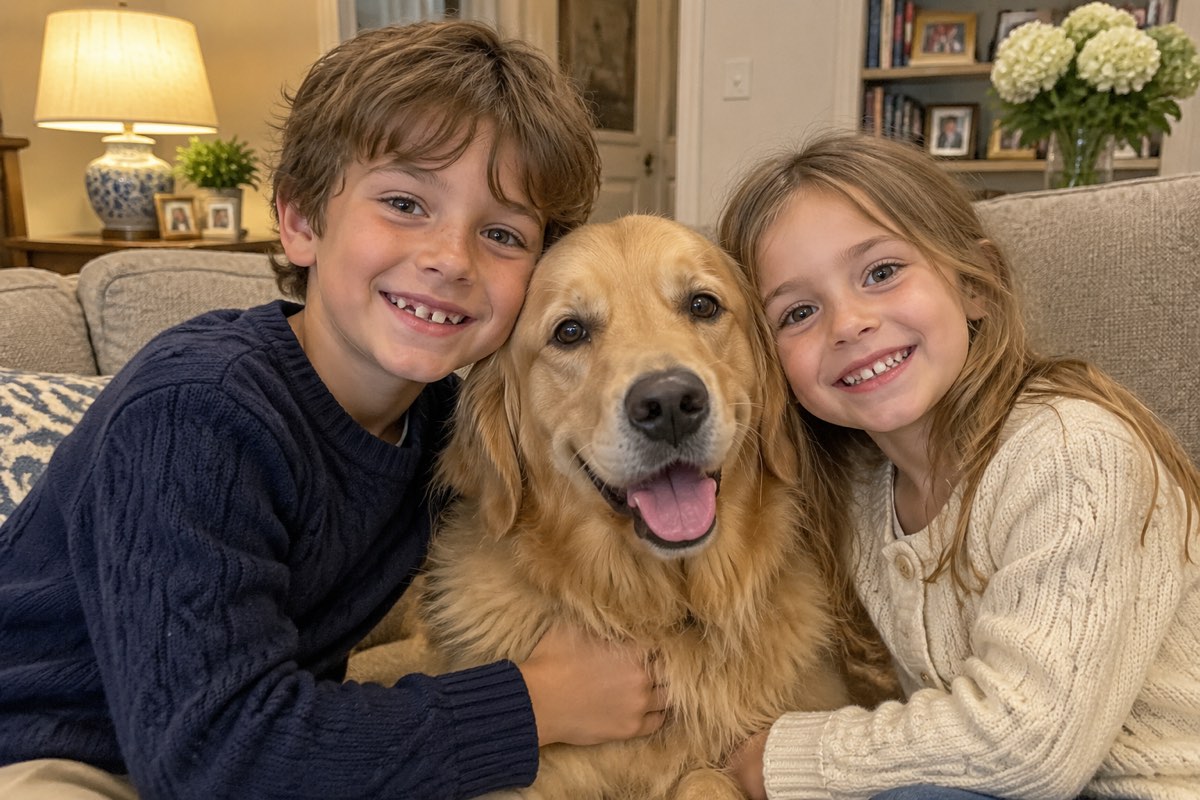
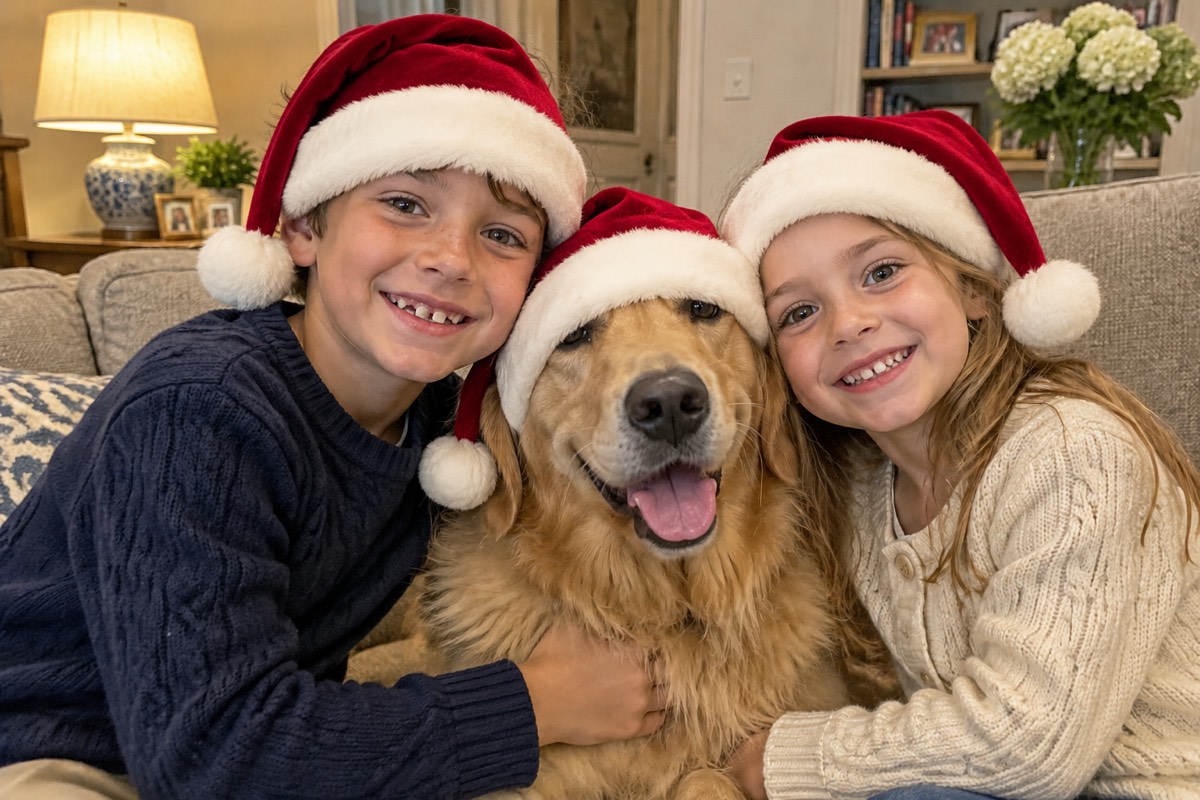
Each Santa proof photo was generated from the single input photo beside it in ~60 seconds.
Every ornament, stocking, mug, pet, and family face stays untouched.
How it works
To begin, switch off bright ceiling lights and shoot one steady doorway photo of your Christmas tree or cookies table.
Then, upload your photo to the generator above ($4.99 one-time for 5 HD credits, no subscription).
Finally, save the unwatermarked HD image to your phone’s Photos app so it sits right alongside your real evening snapshots.
Upload 1 photo, press one button, save to your phone. Nothing to install.
Clean full-HD photo, zero watermarks, about 1 minute.
Included with every photo
5 HD photos for $4.99 once
Pay $4.99 once for 5 full-HD Santa photos—no account signup and zero recurring subscription.
Starter pack5 · $4.99Zero watermarks, full HD
Every photo downloads in crisp full-resolution HD with zero watermarks or app logos.
santa-proof-3f9a2c1e.jpg
Uploads deleted after 24 hours
Your photos are only used to make your picture. Never shown to anyone, sold or used to train AI.
- tree-before.jpgdeletes in 23 h
- cookies-before.jpgdeletes in 23 h
Your exact room & faces kept
Your tree, stockings, furniture, pets, and family faces stay exactly as photographed.
One free redo
If Santa’s scale, lighting, or a face looks off, email us and we add 1 redo credit free.
- To
- hello@addsantatophoto.com
- Subject
- Redo my photo, please
On iPhone, Android and the web
Snap your living room on iPhone or Android and save the finished proof straight to Photos.
- Photo Library
- Take Photo
- Choose File
1. Let the Christmas tree light the room
The number-one giveaway in fake Santa photos is mismatched light. When overhead ceiling bulbs flood a room with flat white light, every shadow looks harsh—and traditional sticker apps still paste a studio-lit Santa whose highlights point the wrong way.
Before snapping your room photo, turn off overhead lights and leave only your Christmas tree string lights, fireplace, or one warm side lamp switched on. That creates rich amber highlights and soft dark corners where AI compositing blends seamlessly.
2. Shoot from hallway height, not high overhead
- Hold your phone at chest or doorway height (around 4.5 to 5 feet off the floor), parallel to the walls—never tilted steeply downward from ceiling height.
- Use your phone’s main 1× camera lens rather than the 0.5× ultra-wide lens, which stretches room corners and distorts proportions.
- Include the floor! Showing the rug or hardwood beneath the tree lets Santa cast a grounded contact shadow instead of floating.
- Stage the room AFTER wrapping presents and setting out stockings so nothing magically changes between the “midnight photo” and 7 a.m.
3. Comparing ways to put Santa in a photo
| Method | Price | Realism for kids 7+ | Effort | Watermarks |
|---|---|---|---|---|
| Santa Proof (this site) | $4.99 one-time for 5 HD photos (no subscription) | High: redraws Santa into your room’s exact tree glow, shadows & grain | 1 minute: upload 1 photo, press 1 button | None — clean full HD |
| Free mobile Santa sticker apps | Free with ads / $3–$10 weekly or yearly in-app upsells | Low: flat pre-lit cutout pasted over your room with no real shadow | 10–15 minutes pinching, rotating & erasing edges | Often stamped with app logo unless upgraded |
| Photoshop / Photopea by hand | Adobe plan or free in Photopea/GIMP | High if you paint layer masks, color curves, floor shadows & noise | 45–90 minutes + stock Santa photo | None |
| Etsy / Fiverr custom editor | Usually $8–$25 per single photo | Medium to high depending on seller | 12–48 hour turnaround (too slow on Dec 24!) | None |
Method: Santa Proof (this site)
- Price
- $4.99 one-time for 5 HD photos (no subscription)
- Realism for kids 7+
- High: redraws Santa into your room’s exact tree glow, shadows & grain
- Effort
- 1 minute: upload 1 photo, press 1 button
- Watermarks
- None — clean full HD
Method: Free mobile Santa sticker apps
- Price
- Free with ads / $3–$10 weekly or yearly in-app upsells
- Realism for kids 7+
- Low: flat pre-lit cutout pasted over your room with no real shadow
- Effort
- 10–15 minutes pinching, rotating & erasing edges
- Watermarks
- Often stamped with app logo unless upgraded
Method: Photoshop / Photopea by hand
- Price
- Adobe plan or free in Photopea/GIMP
- Realism for kids 7+
- High if you paint layer masks, color curves, floor shadows & noise
- Effort
- 45–90 minutes + stock Santa photo
- Watermarks
- None
Method: Etsy / Fiverr custom editor
- Price
- Usually $8–$25 per single photo
- Realism for kids 7+
- Medium to high depending on seller
- Effort
- 12–48 hour turnaround (too slow on Dec 24!)
- Watermarks
- None
Third-party app and freelancer pricing varies; always watch out for auto-renewing weekly trials in mobile app stores.
4. Extra details that sell the moment on Christmas morning
- Save the downloaded photo to your camera roll late on Christmas Eve so its timestamp in your Photos app reads night-time!
- If you use the Santa Eating Cookies scene, take a real bite out of one cookie on the plate and leave a few crumbs beside the glass.
- Show the photo right inside your phone’s normal Photos gallery rather than inside a web browser tab.
Your photos are safe with us
The home and family photos you upload are used only to generate your picture, never shown publicly, never used to train AI, and deleted automatically 24 hours after upload. Celebrity and explicit images are blocked automatically.
Questions
Open addsantatophoto.com in Safari or Chrome, tap Add photo to choose a snapshot of your Christmas tree or living room from your camera roll, complete the $4.99 one-time pack, and save the finished HD photo back to Photos in about a minute.
Sticker apps layer a static studio PNG on top of your photo—so Santa’s boots cast no shadow on your rug, warm tree lights do not reflect on his coat, and his edges look razor-sharp compared to your phone’s night camera.
Yes: in free browser editors like Photopea or desktop GIMP, place a stock Santa image on a new layer, mask his boots behind gifts, warm his highlights with Curves, paint a soft multiply shadow on the floor, and add 2–3% monochromatic noise to match phone grain.
One-time credit packs start at $4.99 for 5 full-resolution HD Santa photos (15 photos for $9.99, or 40 photos for $19.99). One credit makes one unwatermarked HD photo, credits never expire, no account is needed, and there is never a subscription.
Yes. The photo you upload is stored privately, used only to generate your picture, and deleted automatically from our storage 24 hours after upload. Your finished Santa photo stays private in your browser or account until you delete it (Settings → Security → Delete account) or ask us at hello@addsantatophoto.com. We never show customer photos publicly, sell them, or use them to train AI.
If a generation fails or times out, the credit returns to your balance automatically. If the photo finishes but Santa’s scale, lighting, or someone’s face does not look right, email hello@addsantatophoto.com with your Stripe receipt (or from your account email) and we will add 1 free redo credit right away.
Open addsantatophoto.com in Safari or Chrome, tap Add photo to choose a snapshot of your Christmas tree or living room from your camera roll, complete the $4.99 one-time pack, and save the finished HD photo back to Photos in about a minute.
More Christmas Eve scenes & parent guides
- Add Santa to PhotoAdd Santa to a photo of your own living room in 60 seconds. Realistic lighting, tree glow, shadows, and grain—5 clean HD photos for $4.99 one-time, no subscription.
- Put Santa in Living Room PhotoPut Santa in your living room photo with matched low-light tree glow, hearth shadows, and phone camera grain. Upload 1 room photo—5 HD photos for $4.99 one-time.
- Santa Eating Cookies PhotoCreate a realistic Santa eating cookies photo in your own kitchen or living room. Upload 1 photo of your milk & cookies plate—5 HD photos for $4.99 one-time.
- Add Santa Hat to PhotoAdd a realistic velvet Santa hat (Christmas hat) to any person, baby, group, or pet photo online. Natural fur trim, shadows, and lighting—no clipart stickers.
- Santa Outside Window PhotoAdd Santa peeking warmly through your window or glass patio door at night, complete with real glass reflections and winter moonlight. 5 HD photos for $4.99.
- Add Santa to Photo PricingHonest pricing for adding Santa to your photo: why room-matched AI compositing is $4.99 one-time for 5 clean HD photos with zero subscription vs free sticker apps.